
Remote Testing
Note: You must schedule your exam at least 72 hours in advance. The system only shows available slots that are after 3 days (72 hours) from the present time.
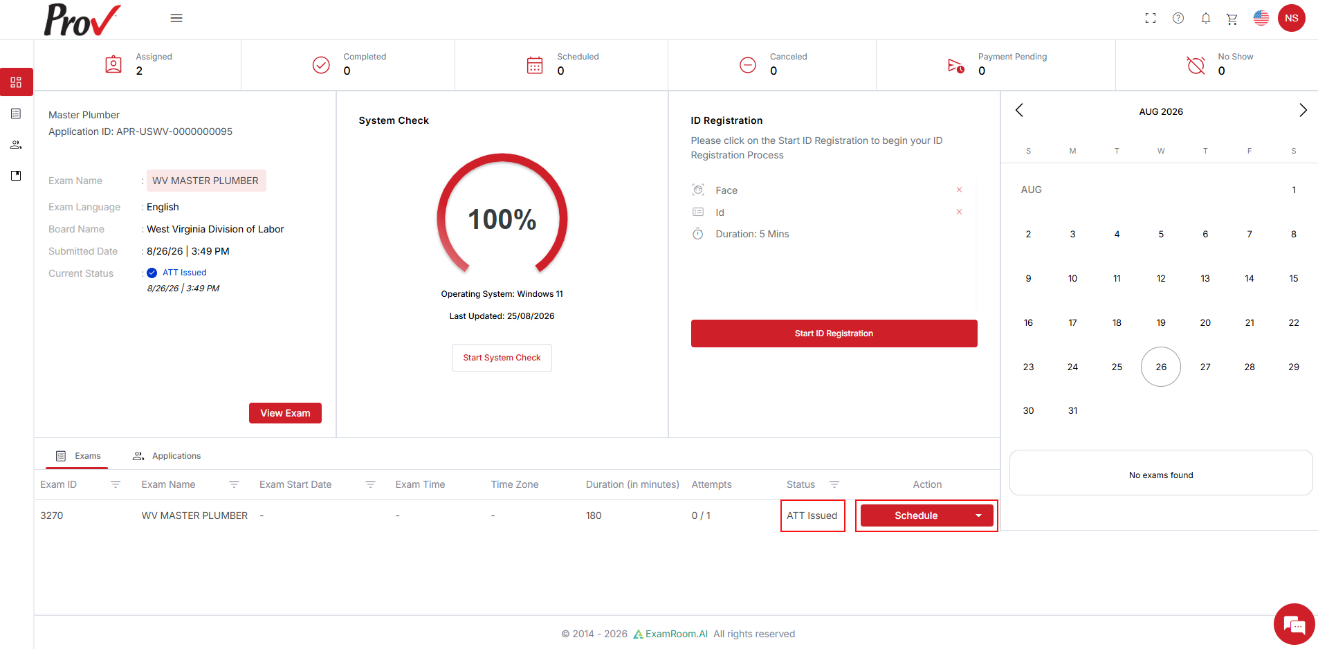
- On the Candidate Dashboard, go to the Exams section. If the exam status shows ATT Issued, click Schedule under Actions to proceed.
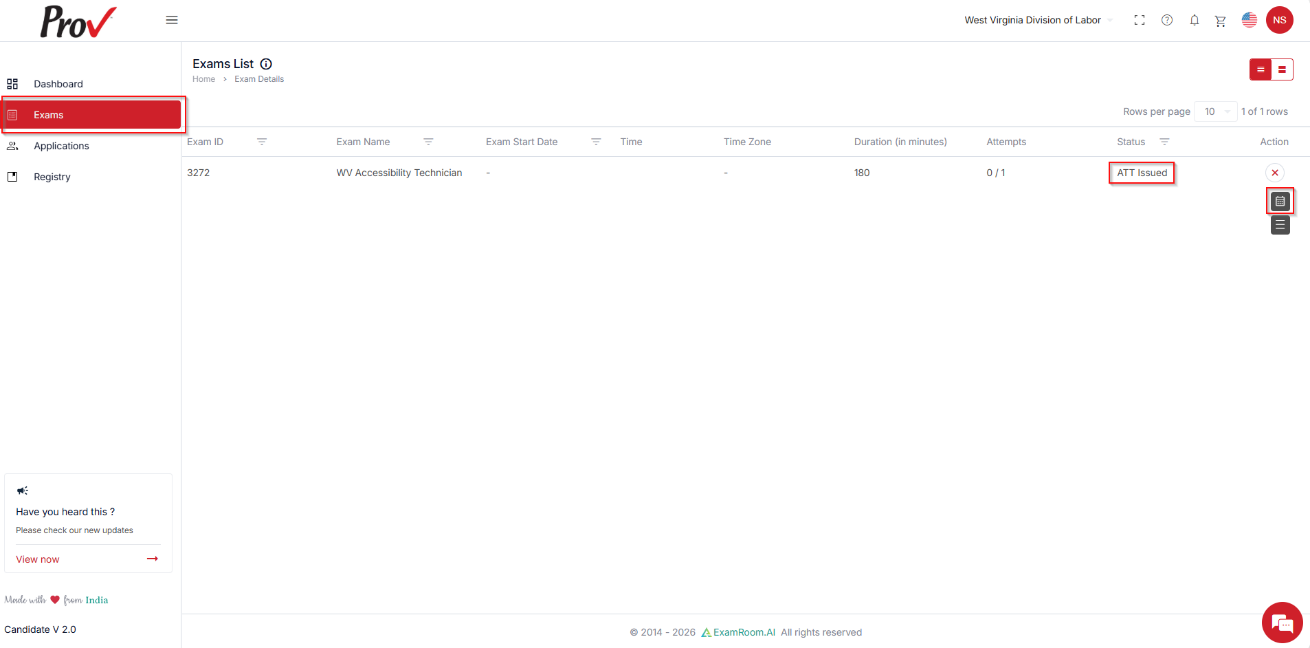
- Alternatively, you can also go to Exams from the side menu to find your registered exam listed. If the exam status shows ATT Issued, click Schedule under Actions to proceed.
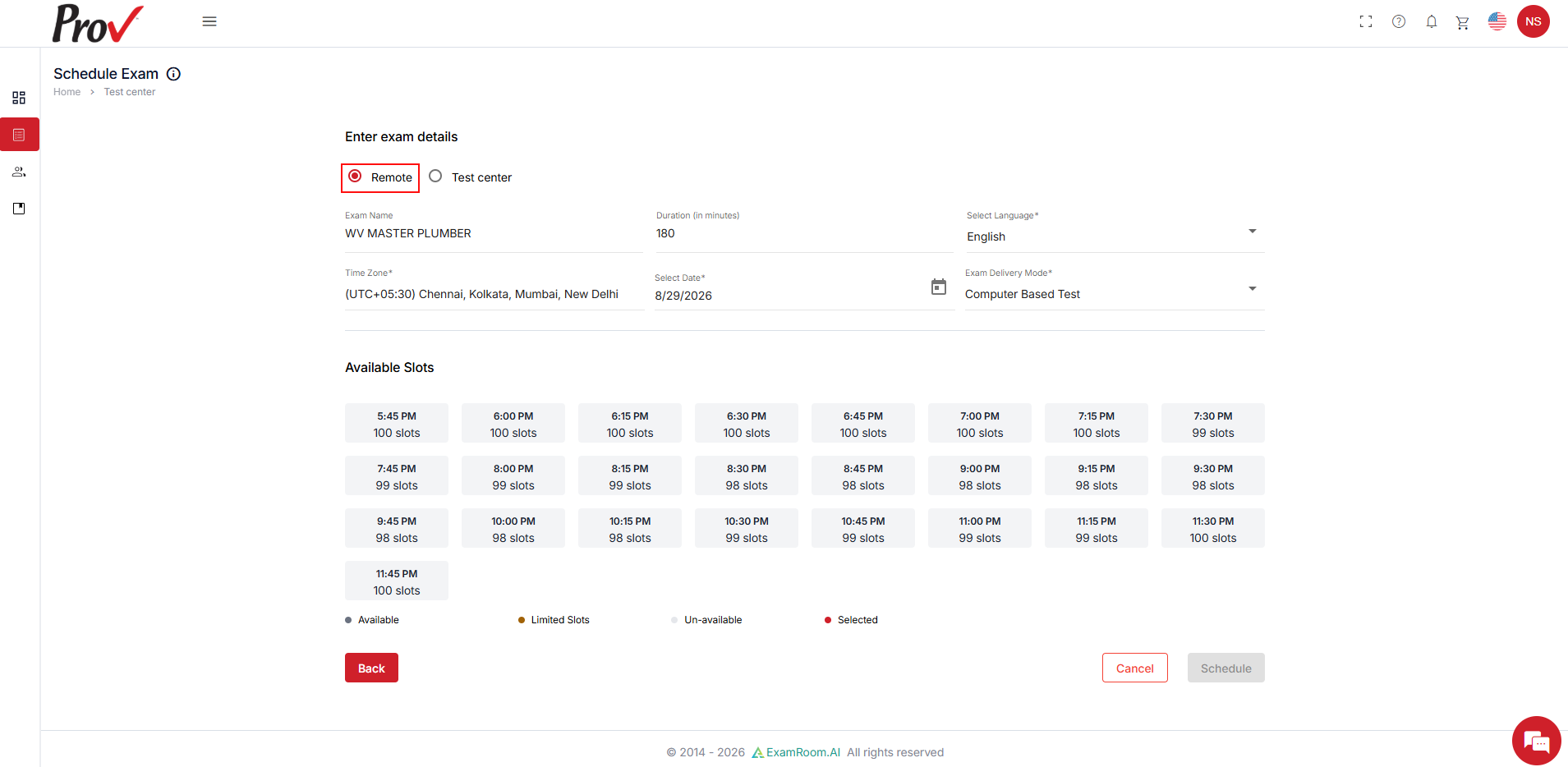
- In the Schedule Exam section, if you wish to take the exam remotely, select the Remote option.
- The Exam details are prefilled based on your exam registration.
- Verify the selected language for the exam. If you wish to change your preferred language, click the Selected Language field and select from the dropdown, if applicable.
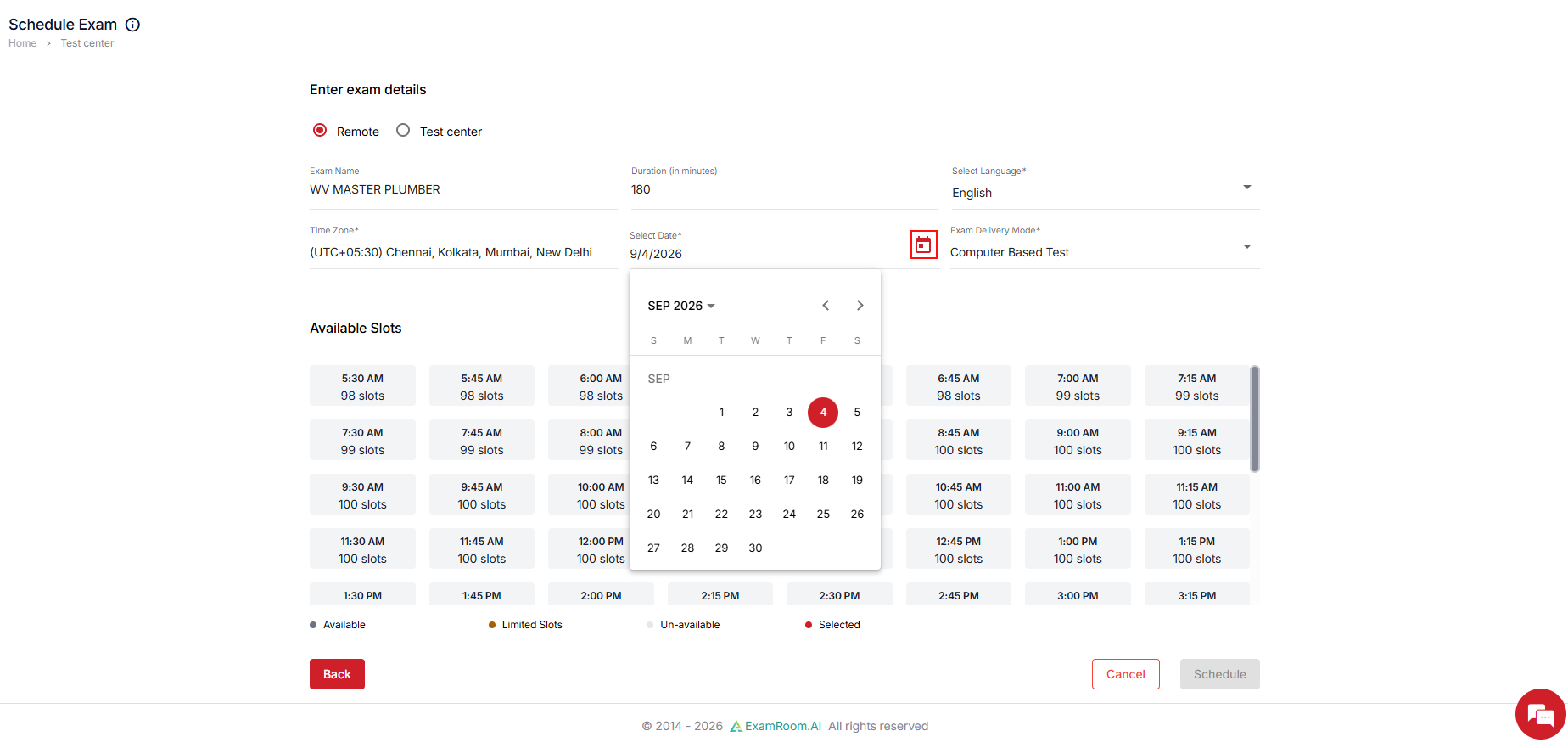
- By default, the next available date is selected. Click the Calendar icon to select your preferred date.
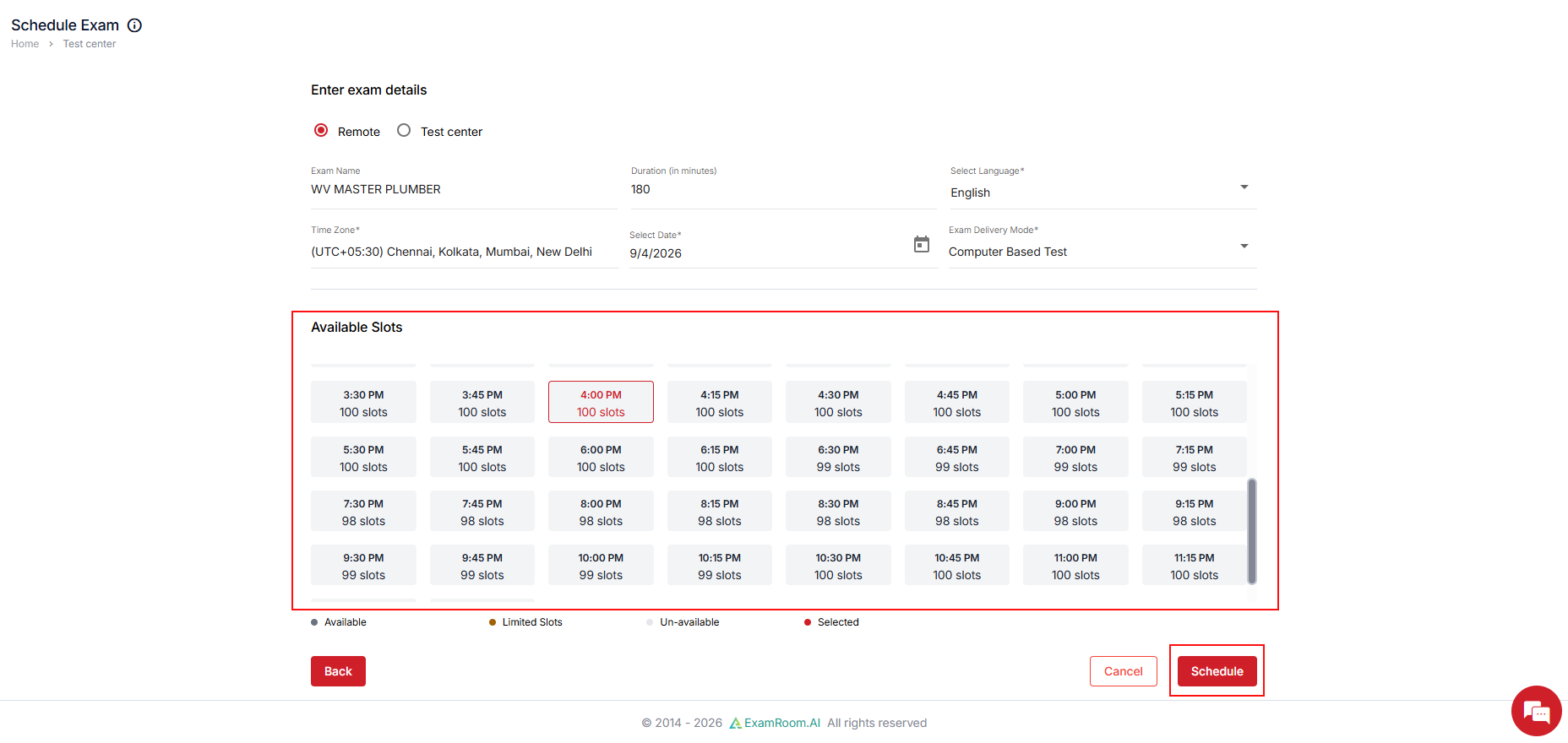
- Select your desired time slot from Available Slots and click Schedule.
- If the exam does not require payment, the exam will be scheduled automatically without payment, and a success notification will appear on the screen.
- If your exam requires payment, ensure you complete the payment, if applicable. Making the payment finalizes your exam appointment. Your exam will be added to the cart so you can complete payment. See Payment. The necessity of payment depends on the exam type or the sponsor's settings.
Remote Testing Information:
Remote testing is offered as a convenience to help you take your test without having to travel. However, by choosing to test remotely, you are agreeing to abide by the following conditions:
- You must be in a quiet, distraction-free environment.
- You must be seated at a table, desk, or counter.
- Your table or desk needs to be completely clear of anything you are not permitted to use during testing; no papers, notes, non-testing books, practice exams, drinks, food, etc. You may have a bottle of drinking water with a cap.
- All non-testing electronic equipment needs to be removed from the room; calculators, additional cell phones, etc. If there is a TV or second monitor in the room that cannot be removed, you will be asked to show the proctor that it is unplugged.
- Your area under your table, desk, or chair needs to be clear of everything: blankets, pillows, papers, backpacks, boxes, etc.
- Your work area needs to be obstruction-free so that we can see you, your arms, and hands throughout the entire testing process.
- You are not permitted to have anyone in the room with you, nor can you receive any aid from anyone during the test.
- You are not permitted to access any other website during testing unless directed by the system to do so.
- If requested to download a special extension on your computer, you will not tamper with the extension or try to disable it while testing. If you are unable to have a testing environment that meets these conditions, we may deny you the ability to test remotely, and we will reschedule you at one of our in-person testing centers.
- You may not test in a location where exam content can reasonably be viewed by another person through:
- Uncovered windows.
- Glass doors.
- Large glass panels.
- Any other transparent surface that provides visibility into the testing area.