System Check
The System Check helps ensure your device is prepared for a secure online exam. It tests your camera, microphone, hardware, software, browser, and internet connection to spot potential problems beforehand.
Perform the system check early and confirm that all checks are marked as Success. Use a single screen, allow access to the camera and microphone when prompted, and resolve any issues before proceeding with your exam.
Note: The following system check process has been explained in the Chrome browser.
Follow the steps below to run the system check:
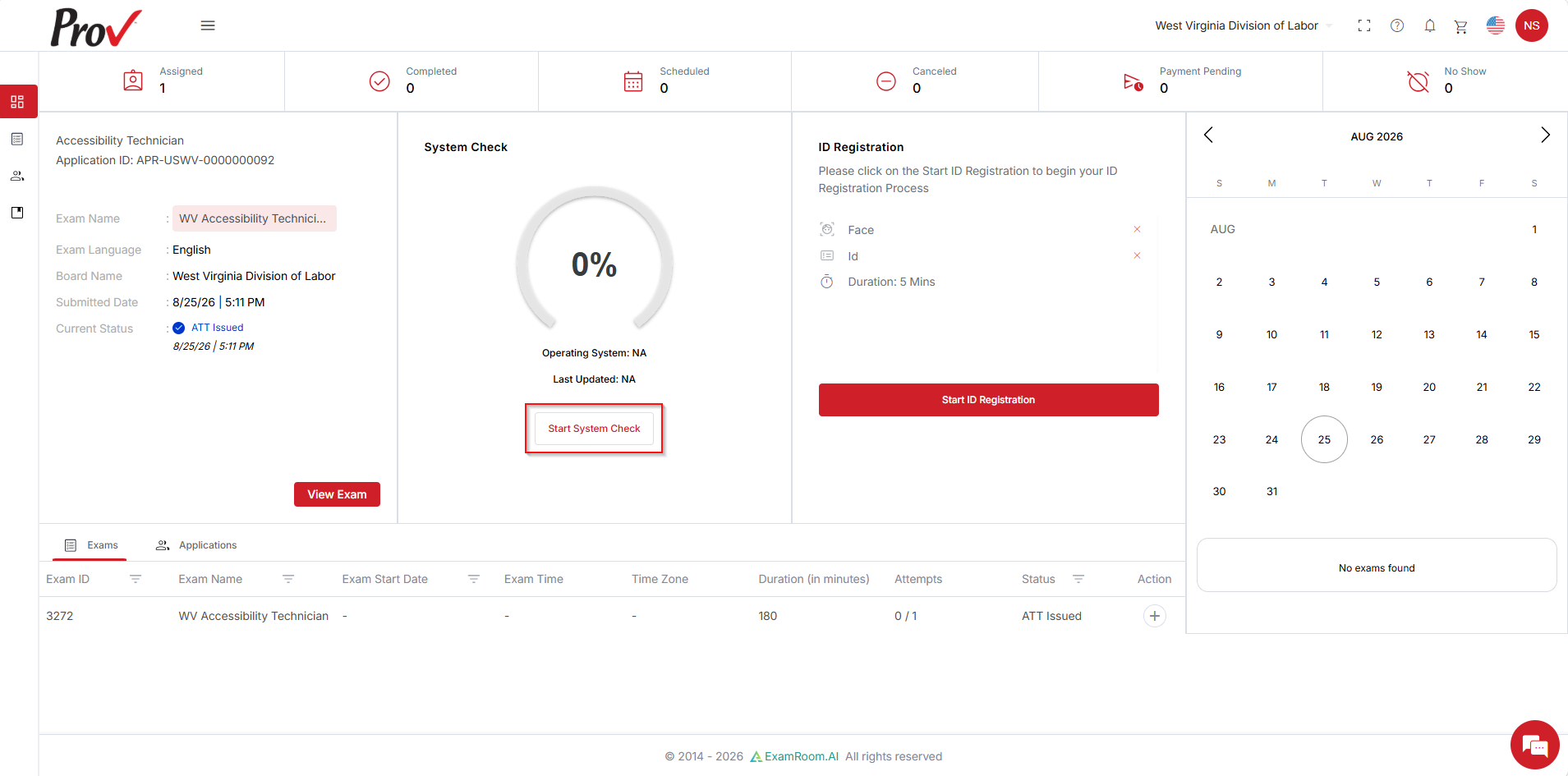
- Once you log in, you will be brought to the Candidate Dashboard. To validate your system configurations, click the Start System Check button.
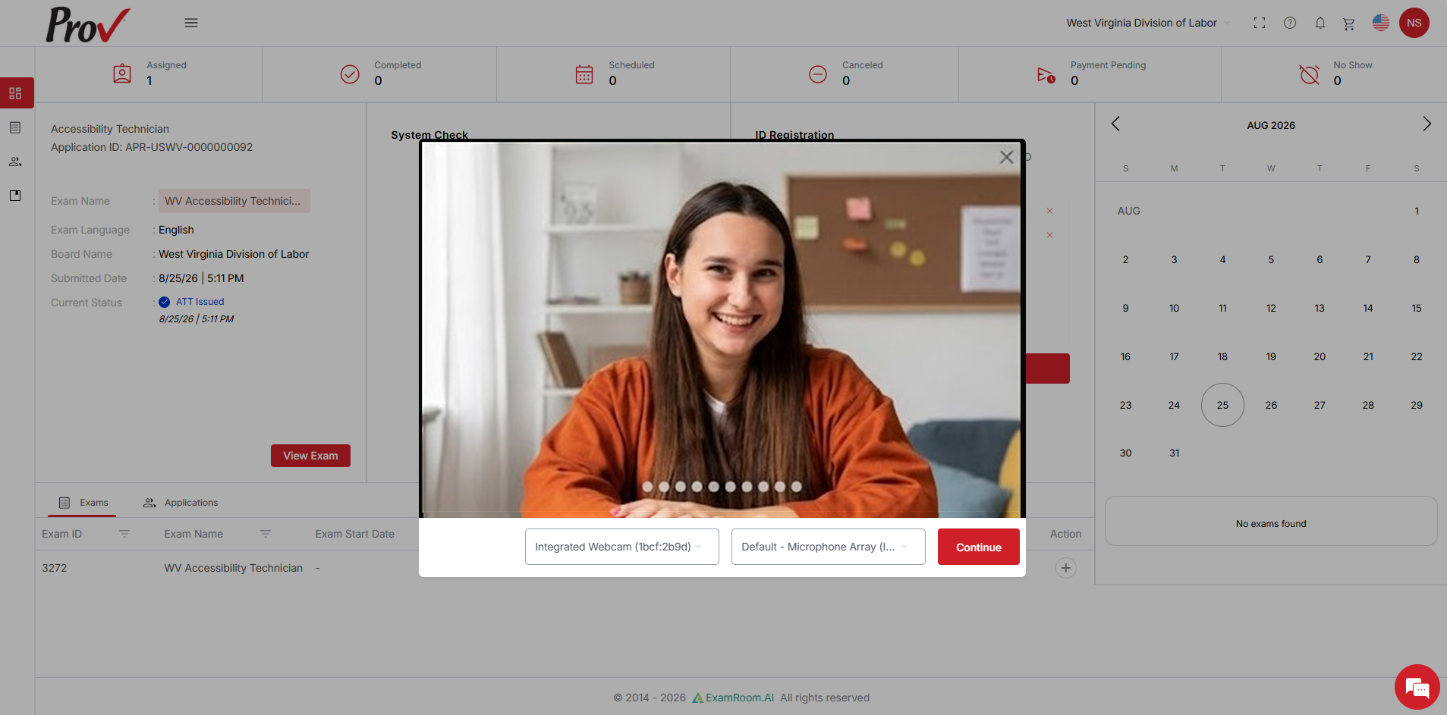
- When you start the system check, your camera and device details are detected, and a live view from the front camera is displayed. Click Continue to move forward. You can also switch your device from the drop-down menu if required.
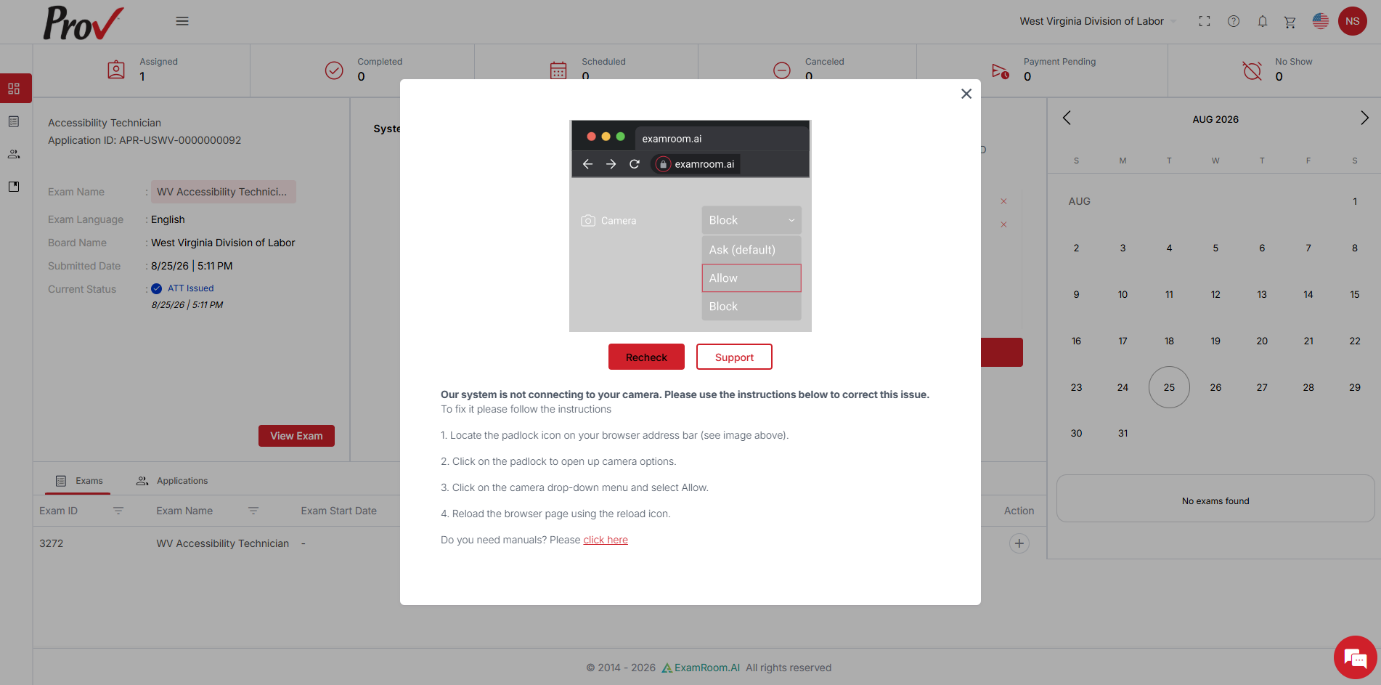
- If you have not provided your camera and microphone access, a pop-up is displayed to help you enable those. Provide access to the camera and microphone, and then click Recheck. If you are using Edge, please check the Edge permissions Or, for the Firefox browser, check the Firefox permissions.
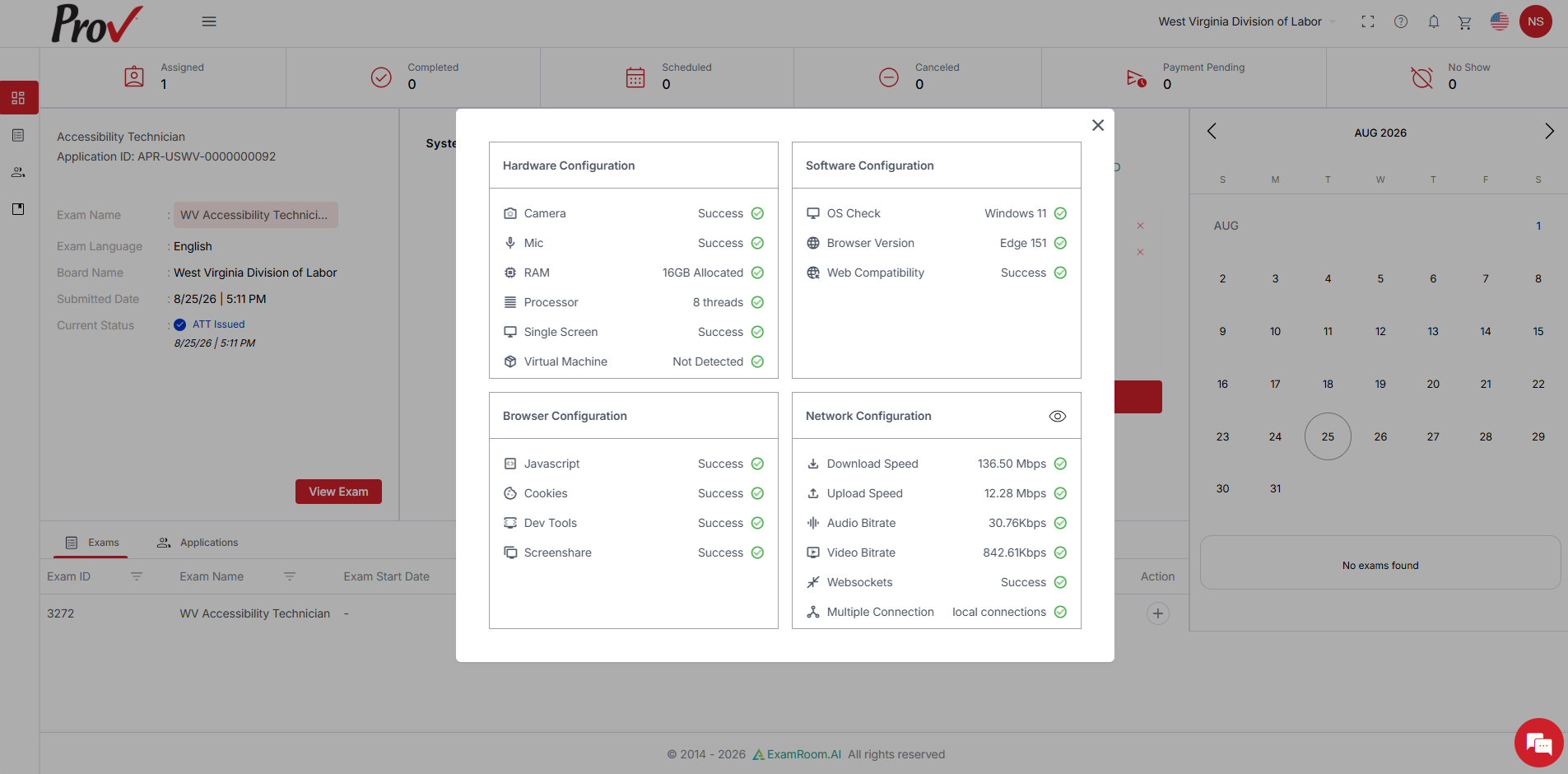
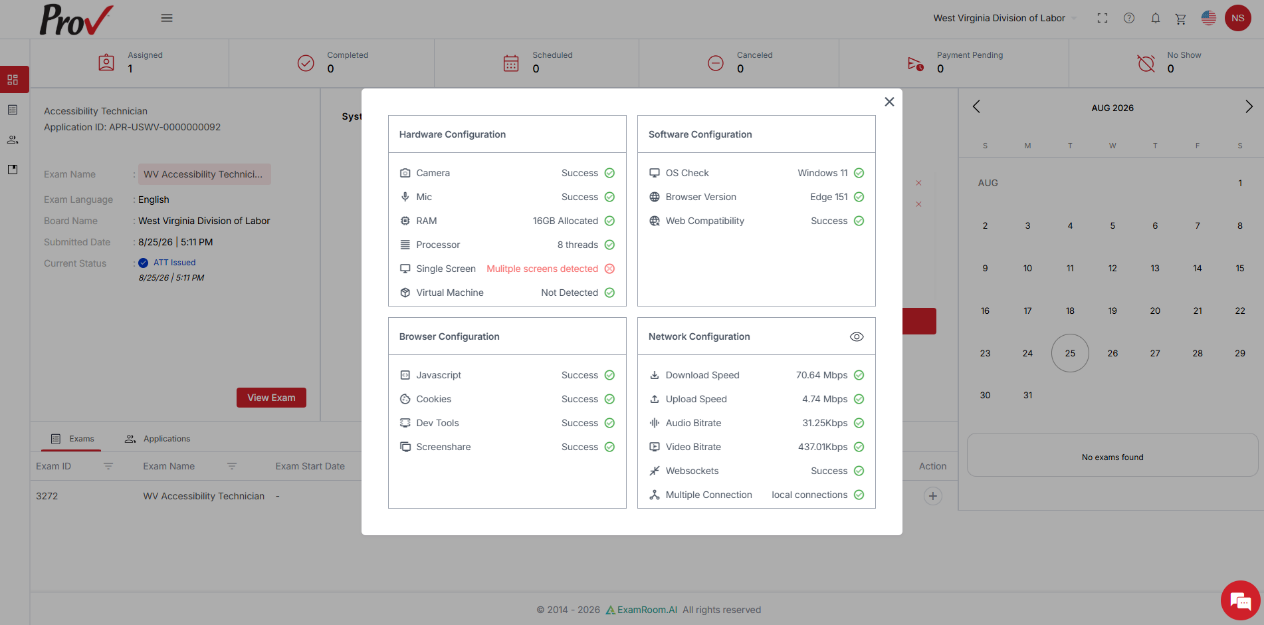
- After your camera and device details are saved, a pop-up shows the hardware, software, browser, and network configurations. Ensure every aspect of the configuration check is marked as success for a smooth examination process.
- To check whether your device meets the minimum requirements, refer Device Compatibility to run ExamRoom.AI System.
Note:- If you are using multiple screens, your system check may fail, and you will not be able to proceed. You must use a single screen to proceed with the exam.
- Disconnect multiple screens from your system and perform the system check again.
- The System Check shows your Wi-Fi strength and bandwidth, but results may vary on exam day based on your connection quality. It doesn't guarantee your internet will meet standards during the exam. See Device Compatibility for Remote Exam to know the required internet speed.